Project № 14
Draw.Northstar
Fable 5.2 drew 40+ people with a real robot arm, with no human in the loop. How designing the harness made that work, and why it was still slow and imperfect.
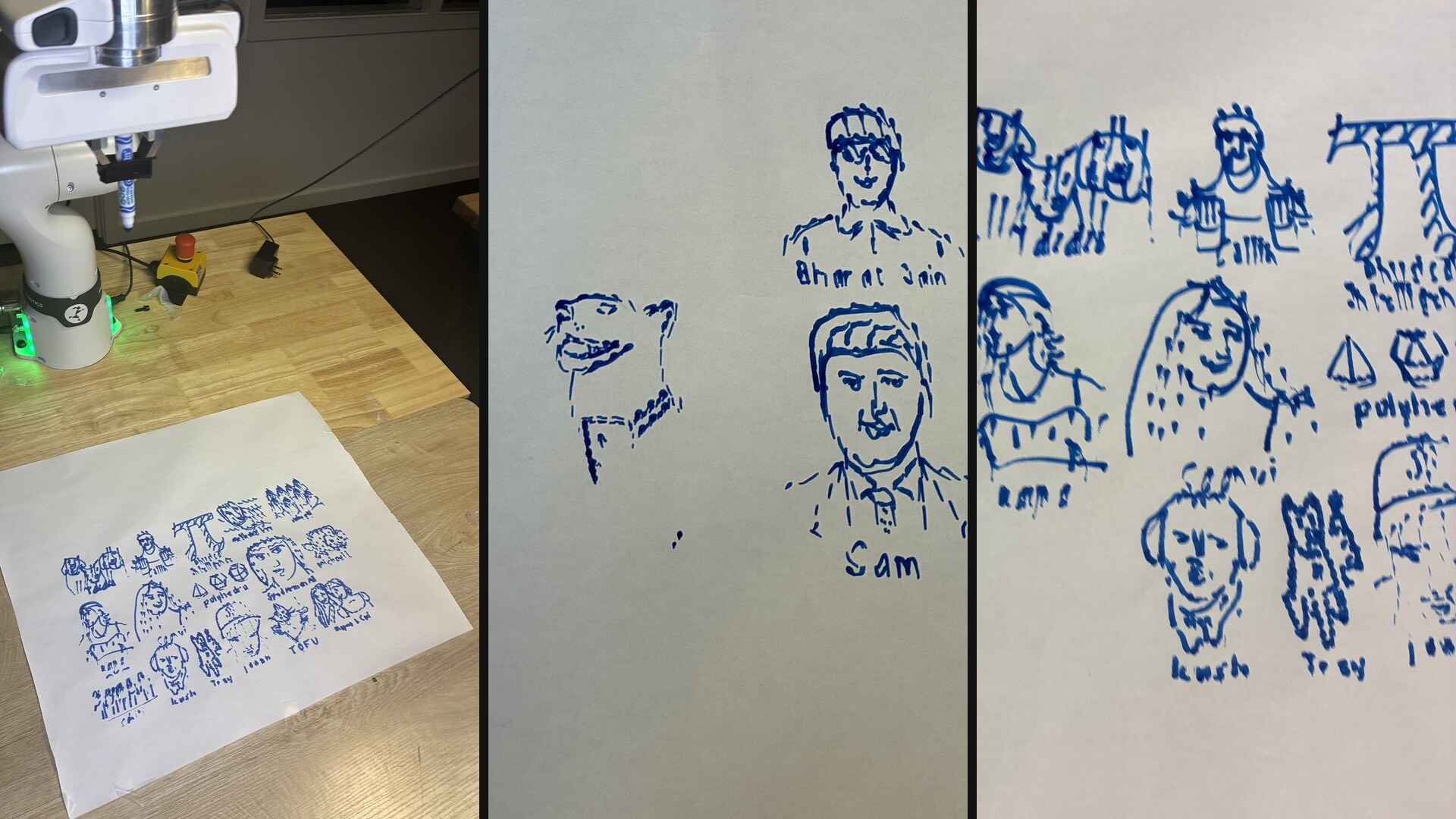
In my last blog I said the most realistic place for LLM in a robot is at the top, at the most intelligence constrained layer.
Then Fable 5.2 dropped.
Then we shipped draw.northstarrobotics.ai in less than 12 hours, where 40+ people had Fable 5.2 draw them (or whatever they liked) with their name underneath.
This ran completely autonomously with no human in the loop. Here is how the harness made that work, and why even a good harness still gave us slow demos and imperfect drawings.
draw.northstarrobotics.ai
You upload a picture, give a name and a verified email, and join a queue. When your turn comes, one headless Claude Code session starts with Fable 5.2. It looks at your picture and draws it on the page.
We used a Franka FR3 as the embodiment, with a marker taped to the flange. The page is a sheet of paper, calibrated once, with 390 x 245 mm of usable space.
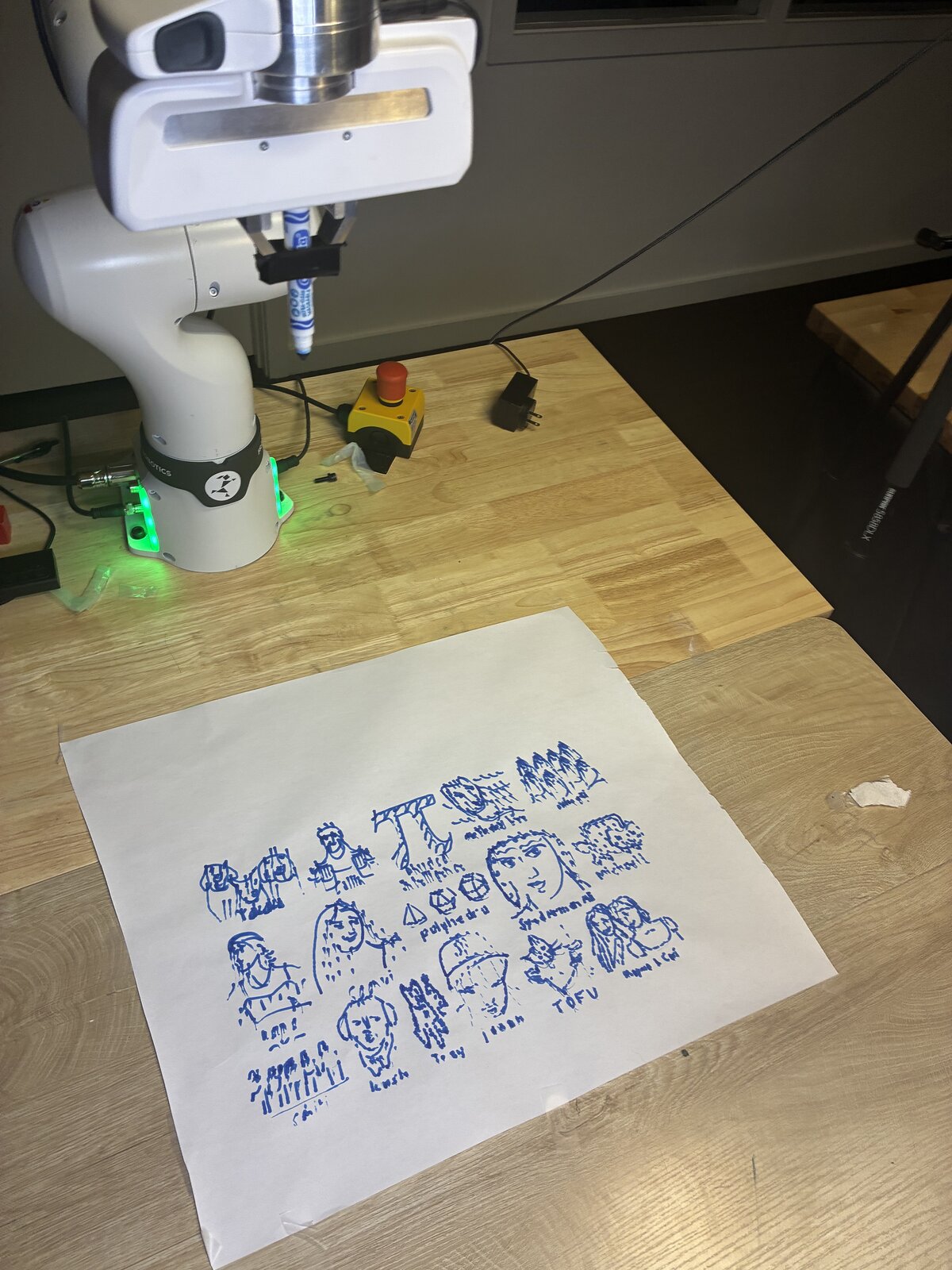
Everyone else watches live: three camera views, a 3D scene, and a feed of Fable's notes (its tool calls, its code, short summaries of its thinking). The video runs about 7 seconds behind the robot so it plays smoothly for a lot of viewers.
The harness
The harness is built on top of ARC, Northstar's robot control platform. Fable reaches the arm through ARC's MCP server, and that is the only way it can touch the robot.
For each job, a small runner program claims the next picture in the queue, downloads it into a sandboxed working directory, and starts a Claude Code session. The session gets the drawing prompt, the robot tools, and Python in that sandbox.
The Fable Harness had these built in tools
| Tool | What it does |
|---|---|
get_task | The task text, the picture, the time left |
get_page | Page size, a log of everything already drawn on this page, pen settings |
observe | Camera frames: overhead and wrist |
home | Moves the arm out of the cameras' view |
draw_strokes | Draws a list of strokes in page millimetres. A dry run checks reach and timing without moving |
move_end_effector, get_end_effector_pose | Direct pen moves (rarely used) |
finish_task | Ends the run |
Notice what's missing. Fable never sends a joint command. It hands over strokes in millimetres on the page, and the harness works out how the arm gets there.
Rules
The prompt is short. Most of it came from test runs the night before.
- Refuse sexual, violent, hateful or insulting pictures.
- Draw no larger than 80 x 100 mm including the name. Pick the free spot nearest the centre. Never overlap an earlier drawing.
- Map reach first, with one dry run of at most 25 dots. Keep every call under 40 seconds.
- Home before you look. The arm hides the page.
- After the first real draw, check on camera that ink landed. Retrace faint lines as short dashes. If there's still nothing, stop and say so.
- Never move while a hand is in the workspace.
- Finish once it reads clearly. Other people are waiting.
The harness loop
We intentionally gave the agent very few instructions. We did this following Anthropic's own advice + out of interest.
Also to note that each run was a fresh run. So no run improved the model over time. We did this on purpose, as we wanted to see how the base Fable 5.2, with our base harness, did over a span of many drawings with vague instructions.
Despite this, most Fable 5.2 runs followed this loop
- Read the task, the page and the picture.
- Home, and look at the paper.
- Map reach with a dry run of dots.
- Trace the picture in Python, render a preview, look at it.
- For each batch of strokes: dry run, then draw.
- Home, look, retrace what came out faint, write the name, look once more, finish.
Results From Real Runs
43 drawings on 4 pages. The median drawing took 8.5 minutes.
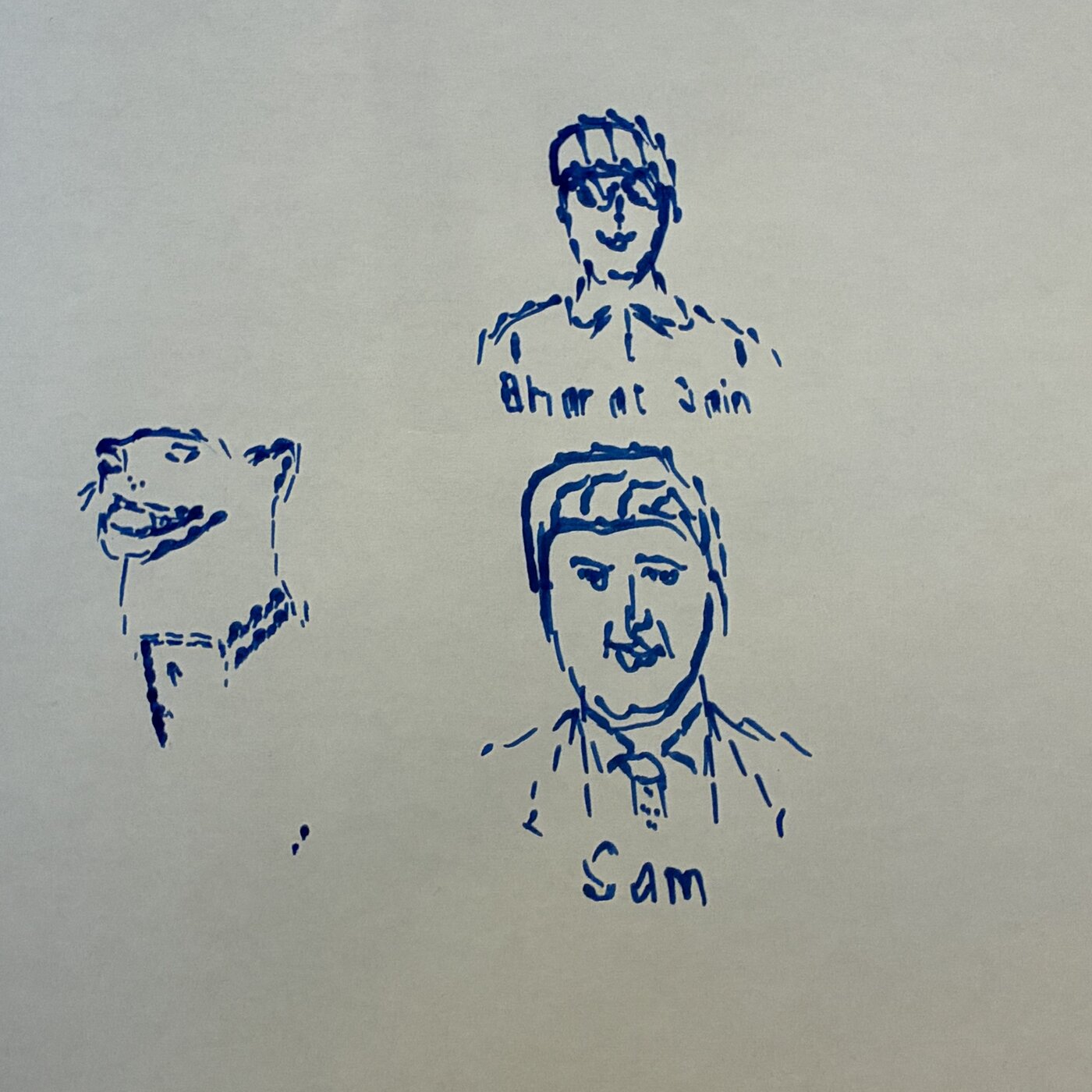
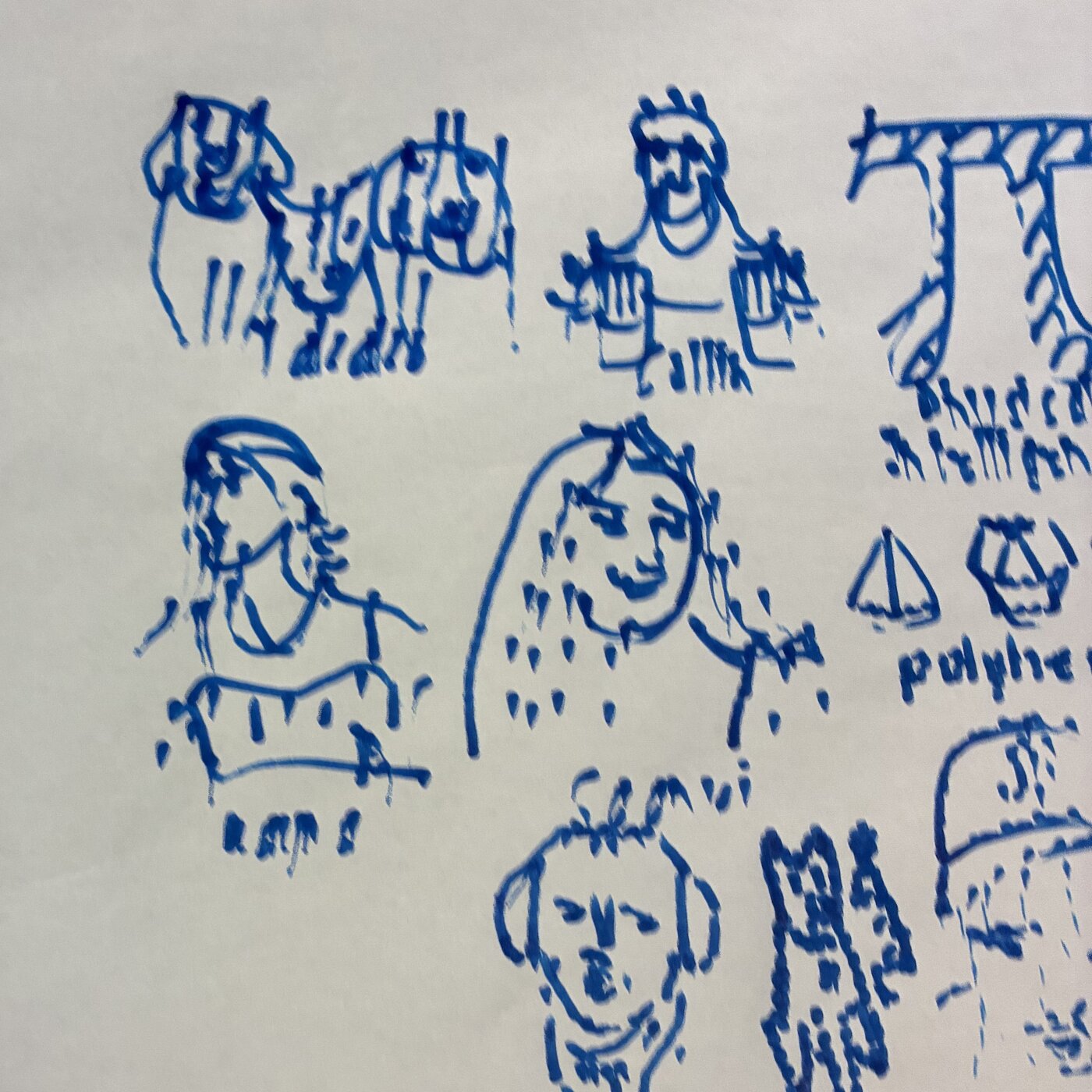
The drawings became dot like over time
In most drawings the drawings were dot like. This was due to Fable 5.2 behavior to attempt strokes, miss some, and then begin dotting.
In the harness we allowed it to increase its depth to push the brush, yet despite that it decided to pick a safer, more controlled route each time after failing.
It rehearsed heavily before it moved
406 dry runs against 359 real draw calls. Fable dry-ran almost every batch, and split anything over the 40 second limit into two calls on its own.
It looked a lot
About 12 camera looks per drawing, mostly to confirm that ink had landed.
It wrote its own tools
Python did the tracing, the grids, the stroke generation and the previews. The arm only ever received finished stroke lists. The harness never provided any of these.
The robot was idle most of the time
About 60% of each session was the model thinking and writing. About 40% was the arm drawing or homing.
Improving the Harness
Fable 5.2 showed the capability of adding more tools to improve its harness. As stated earlier each run was fresh, however in a real deployment each harness improvement would affect the next run.
A good harness improvement ideally does not degrade performance of anything in its set of possible output. This would introduce overfitting, where its extremely talented at one type of subset of output, but then degrades after.
Ideally an improvement to this harness would allow the model to calibrate itself on the painting. This could have fixed issues where possibly we miscalibrated. Giving the agent the tools to fix the real world, and its embodiment, would have been valuable.
A good harness, and still slow
The harness is why this worked at all. Fable never had to think about joints or trajectories. It only had to think about the drawing.
But a good harness didn't make it fast, and it didn't make it perfect. The median drawing took 8.5 minutes, most of that spent thinking, and most drawings came out as dots.
What I think that means for LLMs in robotics is in the addendum to my last blog.